Kitana
An AI evaluator that reviews creative assets against a brand kit and returns scored, evidence-led findings.
Brand review is usually slow, subjective and hard to scale. Teams need feedback that is specific enough to improve the asset, consistent enough to compare over time and grounded enough to earn a designer’s trust.
I lead product design for Kitana: the product framing, the evaluation rubric, the interaction architecture and the interface.
The model
Kitana translates brand guidance into five review dimensions: color, typography, logo, layout and overall coherence. Each review pairs a simple score with visible evidence. The system supports judgment instead of pretending to replace it.
The same evaluation model works in the product, in team channels and through an MCP interface used by AI tools.
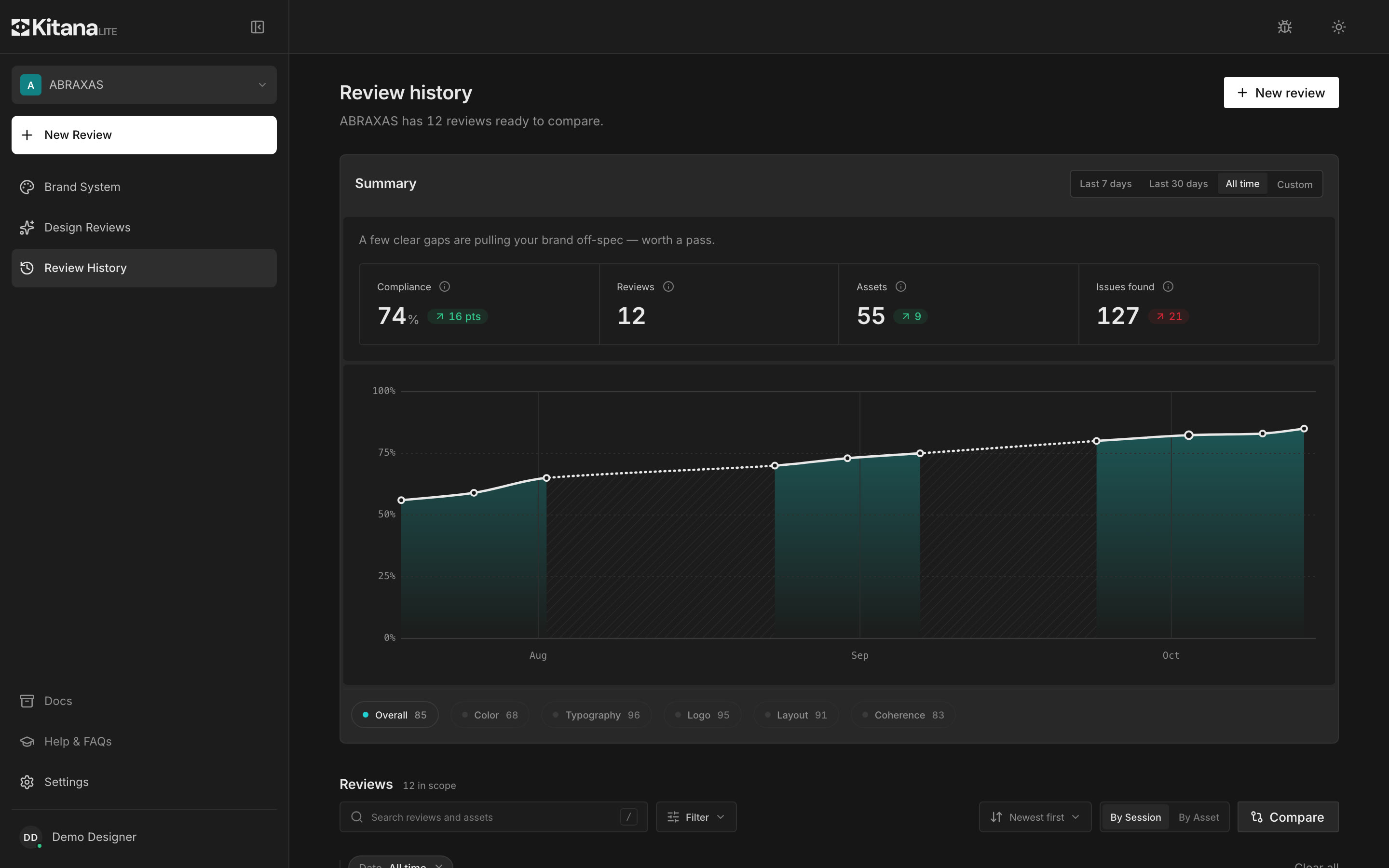
Review history turns individual checks into a view of quality over time. You can compare runs, filter by category and open any past review.
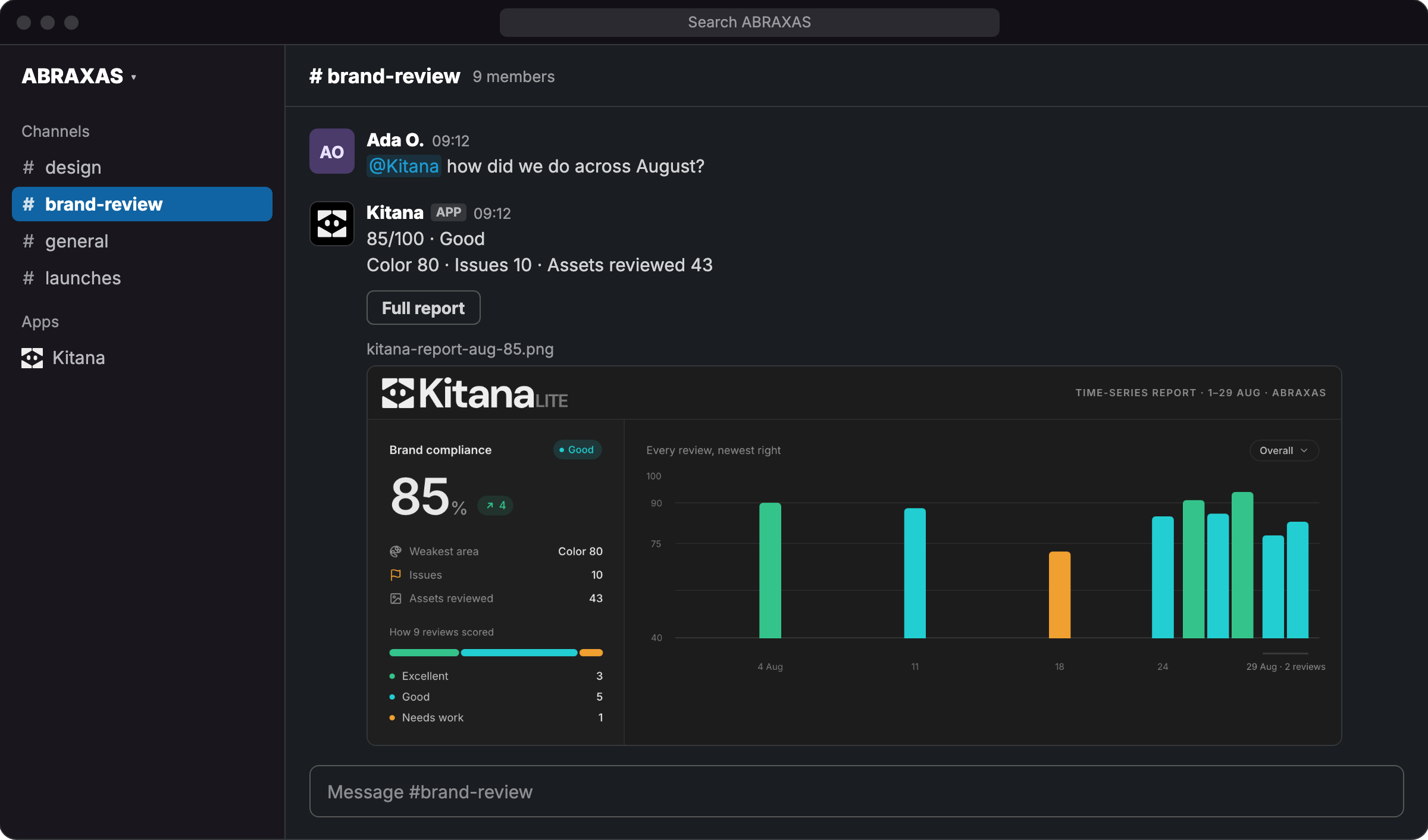
The review travels to where creative teams already coordinate. In Slack, Kitana posts the score and a time-series report into the channel.
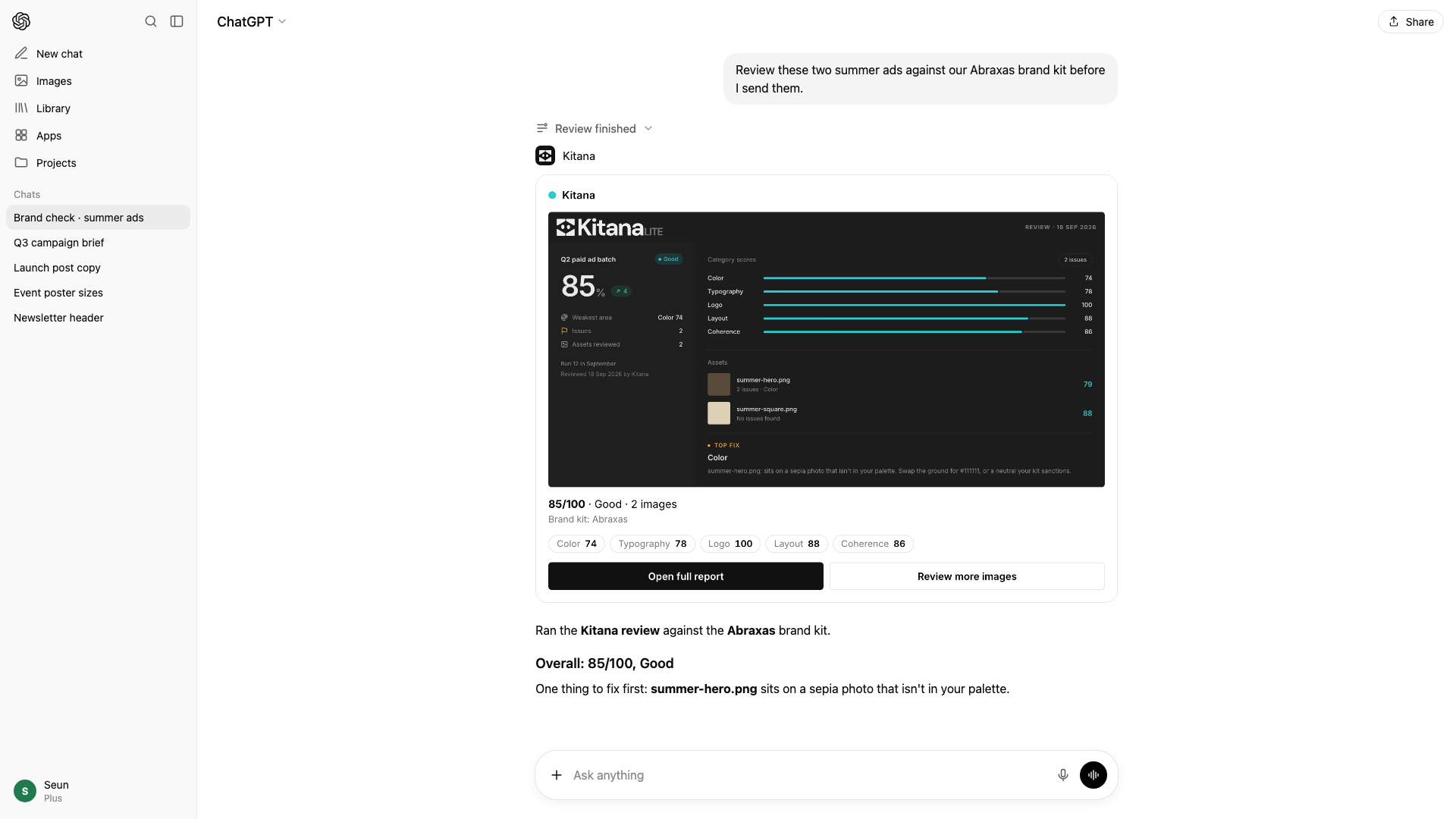
After we built the tool, we realised people would want to use it with their design agents. The MCP server lets an agent check its own output against the brand and improve it, without filling its context window with the whole brand system.
The launch identity gives a technical evaluation product a distinct voice.
Evaluation
A score is only useful if the system sees the asset correctly. So I am building an evaluation suite in four steps, each one feeding the next.
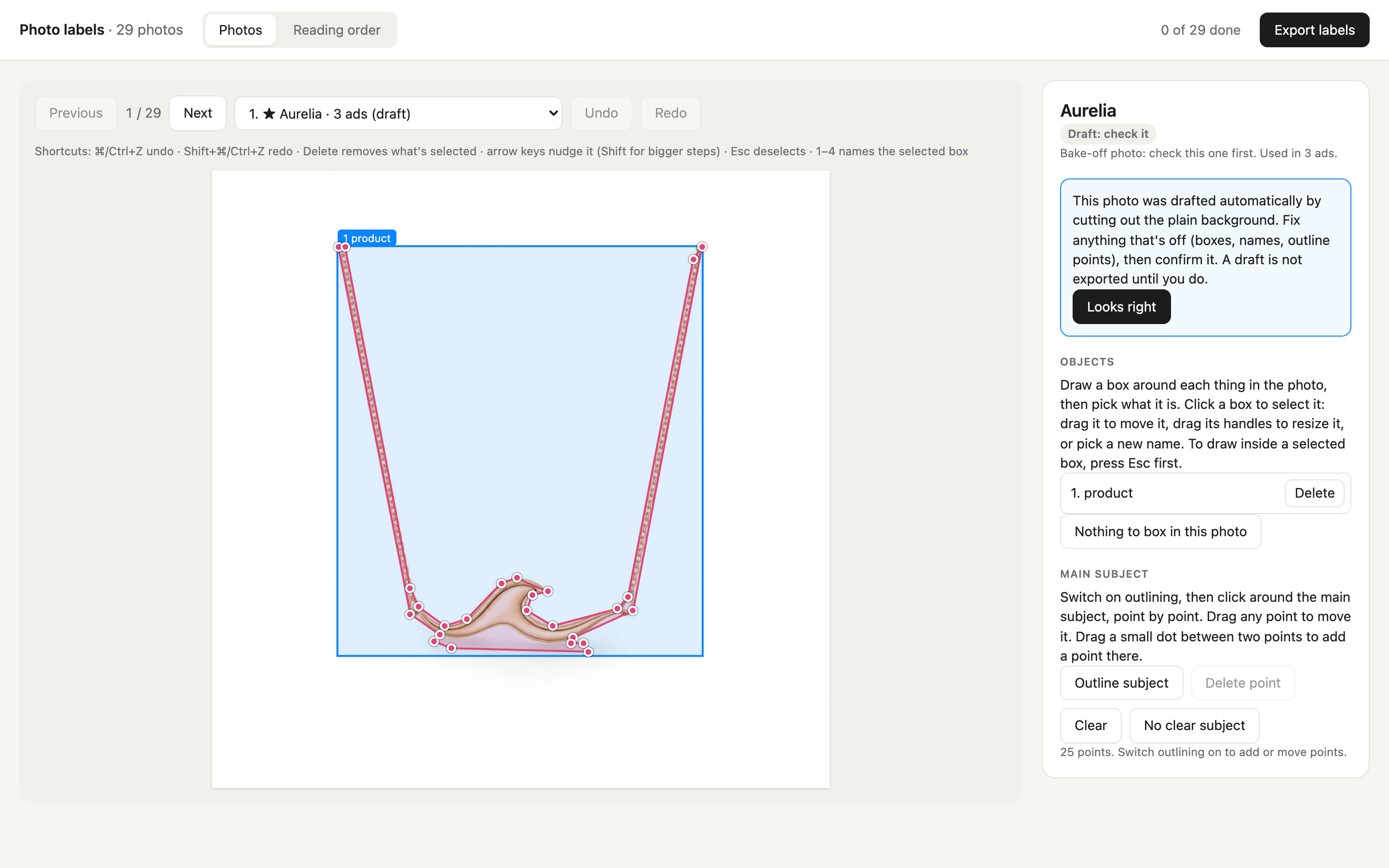
Photo Label sets the ground truth. I mark what is in each brand photo: a named box for every object, an outline of the main subject and the reading order of each ad template. The tool drafts a cut-out, and a draft only counts once I correct it and confirm it.
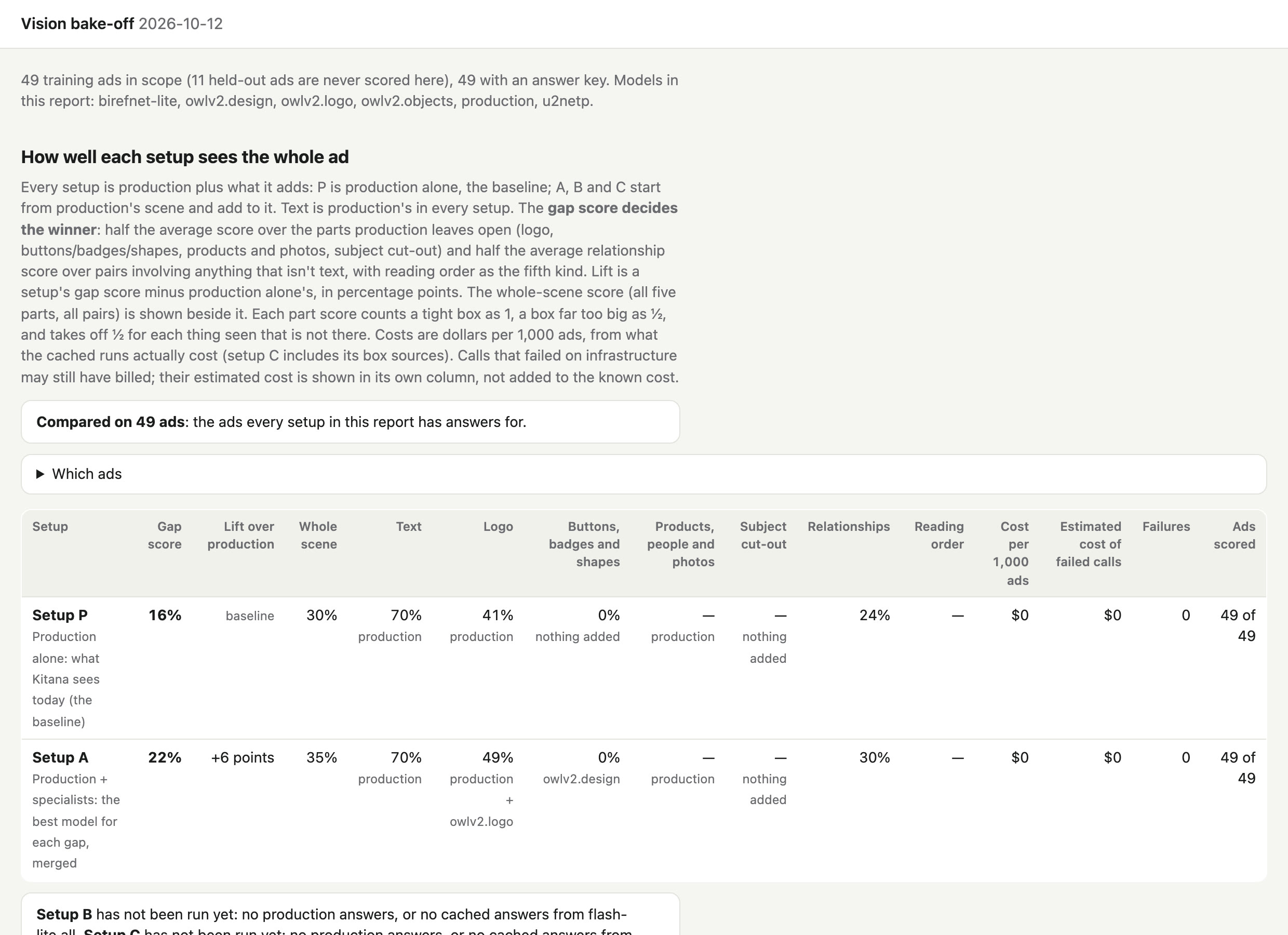
Vision Bake-off tests vision model configurations against that ground truth. It compares what production sees today with production plus specialist models, and scores how well each setup fills the gaps, such as logos, buttons and subject cut-outs.
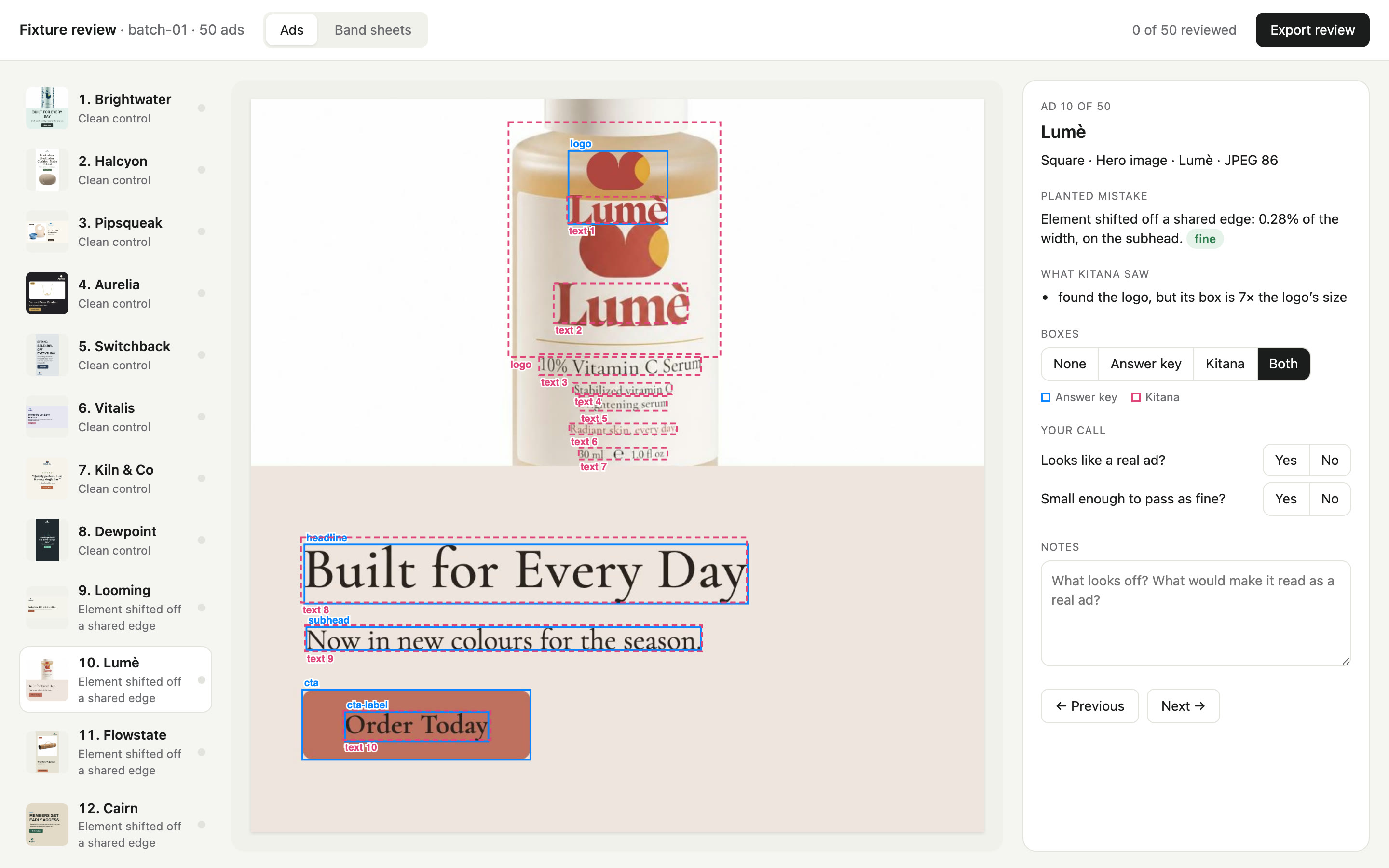
Fixture Factory makes synthetic visual designs from the first two steps. Each ad is built as a web page, so the exact position of every element is known. Each one gets one planted mistake of a known size, then production’s real extraction runs on the picture. The first 60 ads are built, and the factory is designed to scale to about 2,000.
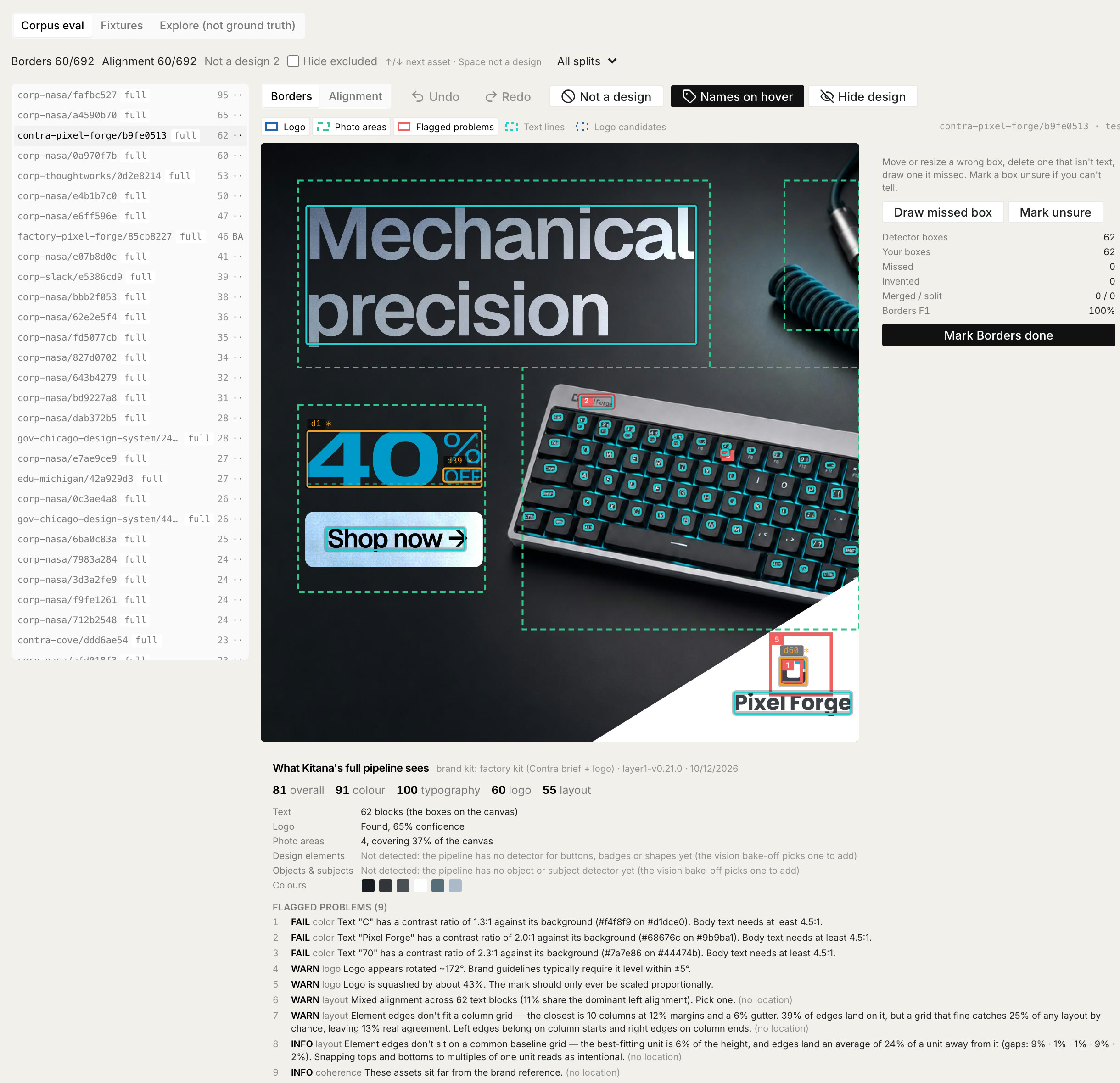
Admin Eval puts it all together. It runs the full production pipeline on our corpus of 694 real assets and on the fixtures, and shows what Kitana sees next to the answer key, so I can correct a box or an alignment call in place.
The score starts the review. The evidence makes it useful.